AI Automation in Nepal: What Businesses Should Automate First in 2026
AI automation is moving from hype to practical business use in Nepal. Learn which workflows businesses should automate first—from enquiries and sales to billing, reporting, customer support and operations—and how to implement automation safely.
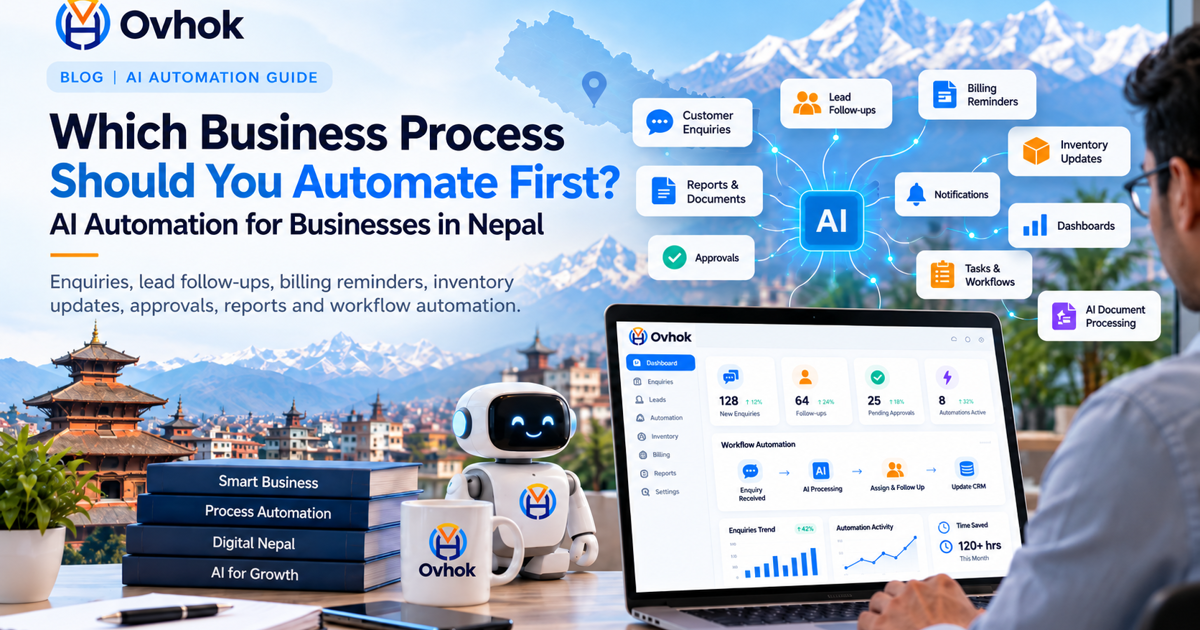
Artificial intelligence is no longer only a technology experiment for large global companies. Businesses in Nepal can now use AI and workflow automation to reduce repetitive work, respond to customers faster, organize information, improve reporting and connect different parts of their operations.
But successful automation does not begin by asking, "Where can we add AI?" It begins with a much more useful question: "Which business process is consuming unnecessary time, creating errors or slowing customers down?"
Quick answer
Most businesses should automate repetitive, rules-based and high-volume work first: enquiries, lead follow-ups, billing reminders, document generation, approvals, customer notifications, inventory updates, reporting and routine administrative tasks. AI should then be added where understanding language, documents or customer intent provides additional value.
Why AI automation matters for businesses in Nepal in 2026
Nepal is entering a more mature stage of digital adoption. Organizations increasingly use websites, cloud applications, digital payments, accounting systems, school management platforms, inventory systems, mobile applications and online customer channels.
At the same time, Nepal has introduced a national policy direction for artificial intelligence. This makes 2026 an important period for businesses to understand not only what AI can do, but where it can create measurable operational value.
The opportunity is not simply to replace people. The more practical opportunity is to let software handle predictable repetitive work while employees concentrate on decisions, relationships, creativity and situations that require human judgment.
Automation and AI automation are not the same thing
Traditional automation
Traditional automation follows predefined business rules. For example, when an invoice becomes overdue, the system can automatically create a reminder and send an email or SMS.
AI-assisted automation
AI-assisted automation can understand less structured information such as customer questions, documents, emails or natural-language requests before deciding which approved workflow should handle them.
A reliable business system normally combines both approaches. Important financial, administrative and approval processes should remain controlled by clear business rules, permissions and audit trails, while AI assists where interpretation or prediction is useful.
10 business processes worth automating first
1. Customer enquiries and first response
Businesses frequently receive the same questions through websites, email, social platforms and messaging channels. An automated customer-assistance workflow can answer approved common questions immediately and send more complex enquiries to the appropriate employee.
2. Lead capture and sales follow-up
A potential customer should not disappear because somebody forgot to call back. Software can capture enquiries, identify their source, assign responsibility, schedule follow-ups and notify the sales team when action is required.
3. Billing and payment reminders
Invoice creation, payment status, due-date reminders, receipts and account updates can be connected into one controlled workflow. This reduces repetitive administrative work and gives management better visibility of outstanding amounts.
4. Inventory and stock movement
Sales, purchases, returns and stock adjustments should update inventory automatically rather than relying on duplicate manual entries. Businesses can also configure reorder alerts and stock-level notifications.
5. Documents and reports
Quotations, invoices, receipts, certificates, statements, management reports and other standard documents can be generated directly from verified system data. This saves time and reduces copying mistakes.
6. Approval workflows
Purchases, discounts, expenses, leave requests, journal entries and other controlled actions can move automatically to the correct approver. The system can preserve who requested, reviewed, approved or rejected each action.
7. Email and SMS notifications
Welcome messages, OTP notifications, billing notices, reminders, status changes, appointment alerts and other communications can be triggered by real business events rather than sent manually one by one.
8. Management dashboards
Owners should not have to collect figures from several spreadsheets before understanding their business. Operational systems can transform validated transactions into useful dashboards and reports automatically.
9. Internal task assignment
When an enquiry, payment, service request or approval enters the system, software can automatically create the appropriate task, assign responsibility, track deadlines and escalate overdue work.
10. Data entry from documents
AI can assist with extracting useful information from appropriate documents and preparing it for review. Critical information should still be validated before it affects accounting, payments or other sensitive business records.
What should not be fully automated?
Not every business decision should be delegated to AI. High-impact financial decisions, account permissions, legal commitments, employee decisions, sensitive personal information and irreversible actions generally need clearly defined human review and authorization.
Good automation removes unnecessary manual work without removing accountability. Every critical workflow should make it clear who initiated an action, which rules were applied, what changed and who approved it.
A practical automation roadmap for a Nepal business
-
Step 1: Map the existing workflow.
Document what happens today, who performs each task and where delays, duplicated entries or errors occur.
-
Step 2: Identify measurable problems.
Focus on outcomes such as response time, processing time, error rate, missed follow-ups or time spent on repetitive tasks.
-
Step 3: Standardize the process.
A confusing workflow should normally be improved before it is automated.
-
Step 4: Automate predictable rules first.
Begin with repetitive tasks where inputs, outcomes and responsibilities can be clearly defined.
-
Step 5: Add AI where it creates additional value.
Use AI where understanding language, documents, patterns or customer intent improves the workflow.
-
Step 6: Measure the result.
Compare the automated workflow against the original business problem instead of measuring success simply by how much AI was added.
Off-the-shelf software or custom automation?
Ready-made applications are appropriate when a business follows common processes that the product already supports well. They can usually be introduced faster and may require less initial development.
Custom software becomes useful when the organization has unique approvals, pricing rules, integrations, operational workflows, reporting requirements, multiple branches or industry-specific requirements that standard software cannot handle efficiently.
The correct decision is therefore not simply "custom versus ready-made." It is to choose the approach that solves the workflow with the least unnecessary complexity while still allowing the organization to grow.
How Ovhok approaches business automation
Ovhok approaches software development from the workflow first. We study how information enters an organization, who is responsible for each action, which decisions require approval, what should happen automatically and what information management needs to see.
Depending on the requirement, a solution may include a website, business application, mobile application, inventory system, accounting workflow, integration platform, reporting system, customer portal, API integration or AI-assisted automation.
Explore our software development services or review Ovhok products to learn more.
Frequently asked questions about AI automation in Nepal
What is AI automation for business?
AI automation combines software workflows with artificial intelligence so systems can perform repetitive tasks and, where appropriate, interpret information such as text, documents or customer requests.
Can small businesses in Nepal use AI automation?
Yes. Small businesses do not need to automate everything. A focused workflow such as enquiry management, sales follow-up, billing reminders or reporting can provide more value than a large, unnecessarily complicated implementation.
Which business process should be automated first?
Start with a repetitive process that happens frequently, follows reasonably clear rules and currently consumes significant employee time or causes mistakes.
Does AI automation replace employees?
Automation is most useful when it removes repetitive administrative work and gives employees more time for customer relationships, decisions, problem solving and other work requiring human judgment.
Do businesses need custom software for automation?
Not always. Standard products are suitable for many common workflows. Custom development becomes valuable when the organization's process, integrations or business rules cannot be represented efficiently by an existing application.
Which part of your business should you automate?
If your team repeatedly enters the same information, manually follows customers, prepares the same reports or moves data between disconnected systems, there may be a practical automation opportunity.
Ovhok Software Solutions can study your existing workflow and help determine whether standard software, custom development, system integration or AI-assisted automation is the appropriate solution.